
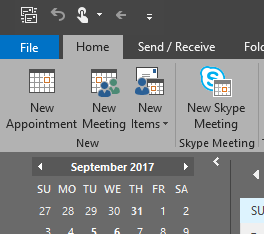
- Click the File tab:
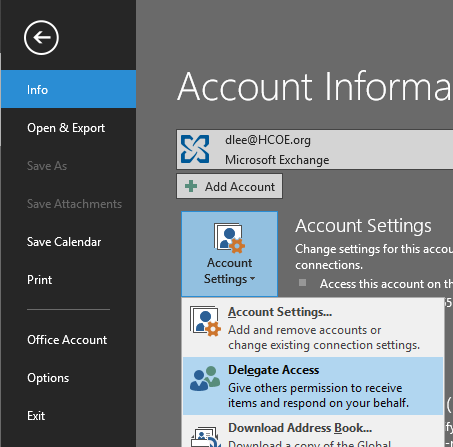
- On the Info tab, click Account Settings Then Click Delegate Access:
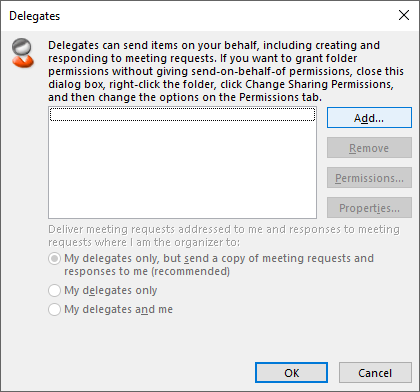
- Click the Add button:
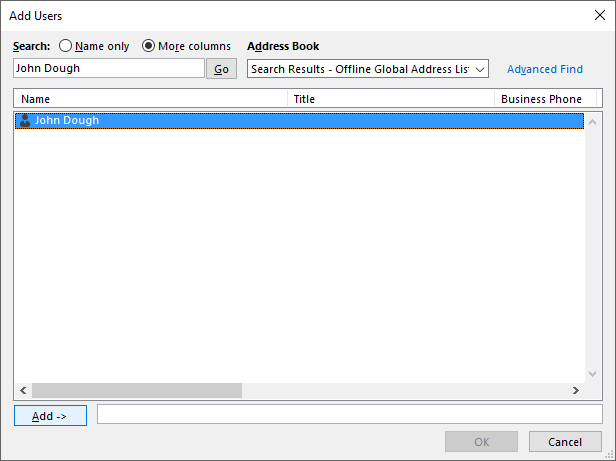
- Enter the user’s name and click Go:
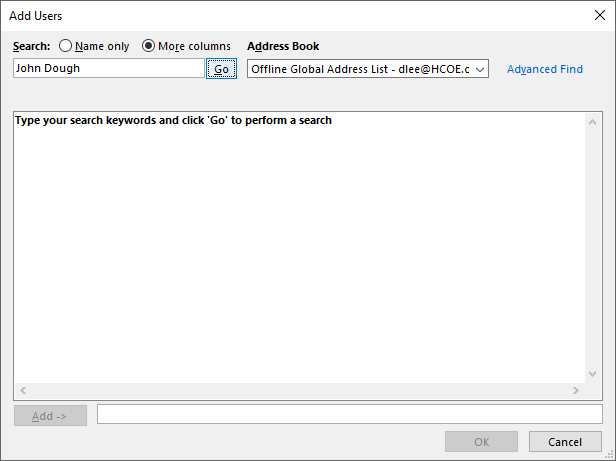
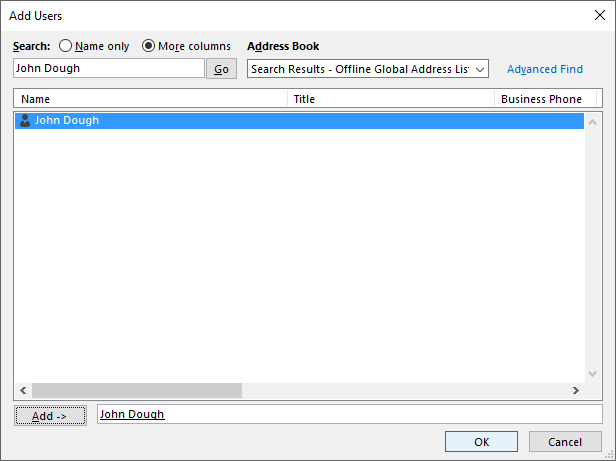
- Click Add ->:
- Click OK:
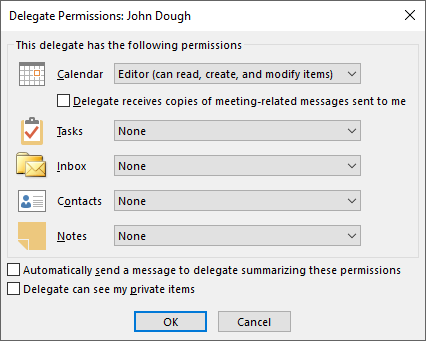
- Select Editor for the calendar permissions (you can decide whether or not the user will receive copies of meeting-related messages):
- Click OK:
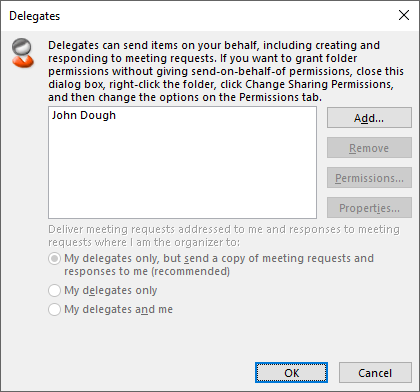
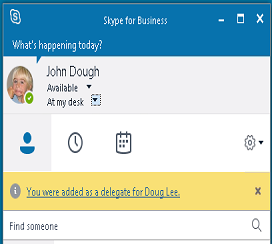
The changes will take at least 30 minutes, but sometimes as long as 24 hours, to take effect. The user will see the following in their Skype for Business window.
Administration Office
Press Inquiries
Recent News
- 43rd Annual Doris Niles Science Fair Held at Sequoia Center March 18, 2026
- Klamath-Trinity Schools Closed Wednesday, March 11 March 11, 2026
- HCOE Holds 19th Annual Academic Achievement Awards March 10, 2026
- 41st Paulette Gilliam Humboldt County Spelling Bee Held March 6, 2026
- Humboldt County History Day: Revolution, Reaction, Reform March 4, 2026